
If you’re a retro computing enthusiast or MIDI musician, you know the Sound Blaster AWE64 Gold and Value cards are legendary for their EMU8K synthesizer and SoundFont capabilities. Back in the ‘90s, these ISA soundcards brought DOS games like Doom and Duke Nukem 3D to life with rich MIDI soundtracks, and they’re still a staple for vintage music production. But to truly unlock their potential, you need more memory for those massive SoundFont banks. Have a look at this AWEsome RAM – a 28MB memory expansion PCB that maxes out the AWE64’s capacity, designed as a faithful replica of Creative Labs’ original upgrade.
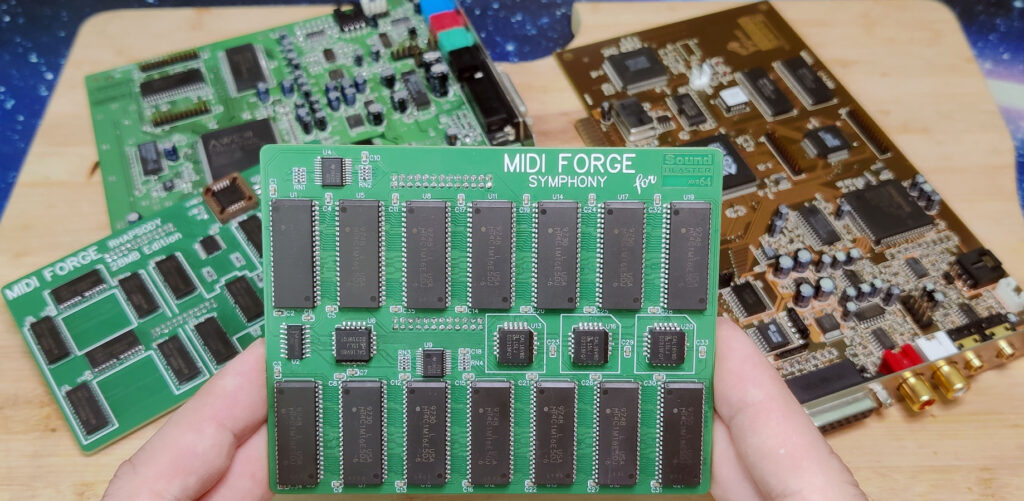
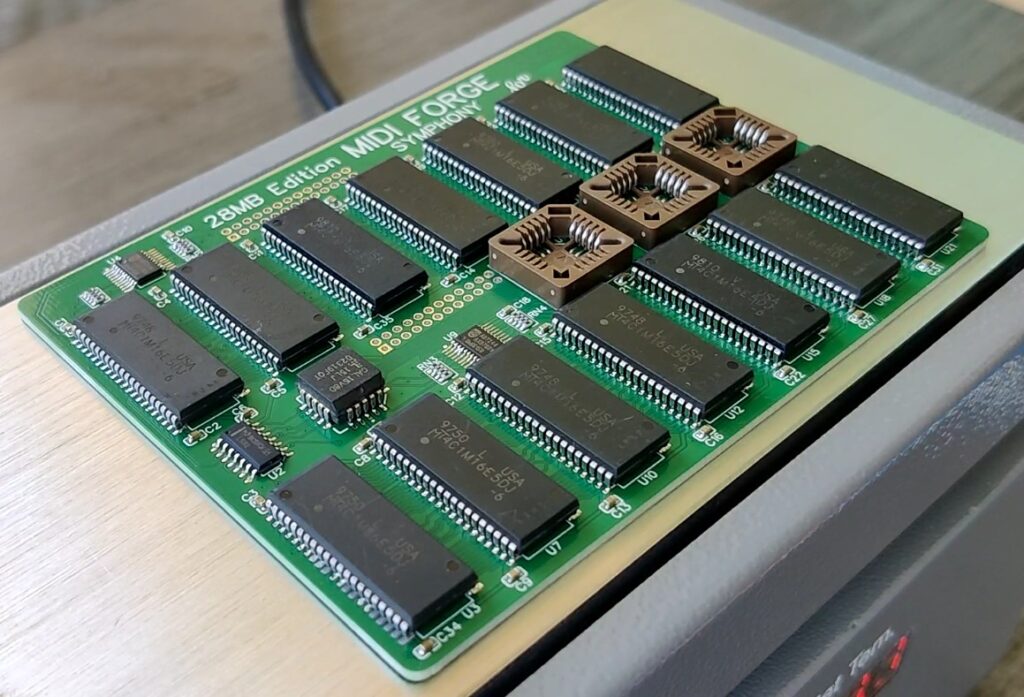
I’m thrilled to share my journey of creating this board, dubbed the “MIDI Forge Symphony,” and how you can build one yourself using the Gerber files.
Why 28MB Matters for the AWE64
The AWE64 Value and Gold come with limited onboard RAM (512KB and 4MB, respectively), which restricts the size of SoundFonts you can load. Creative offered memory upgrades back in the day (4MB / 8MB / 12MB / 16MB / 24MB / 28MB), but they’re rare and expensive now. The maximum supported capacity is 28MB, allowing you to load high-quality sound banks for professional-grade MIDI production or immersive gaming. Whether you’re composing a symphony or reliving Wing Commander III, this upgrade takes your AWE64 to the next level.
Designing the MIDI Forge Symphony
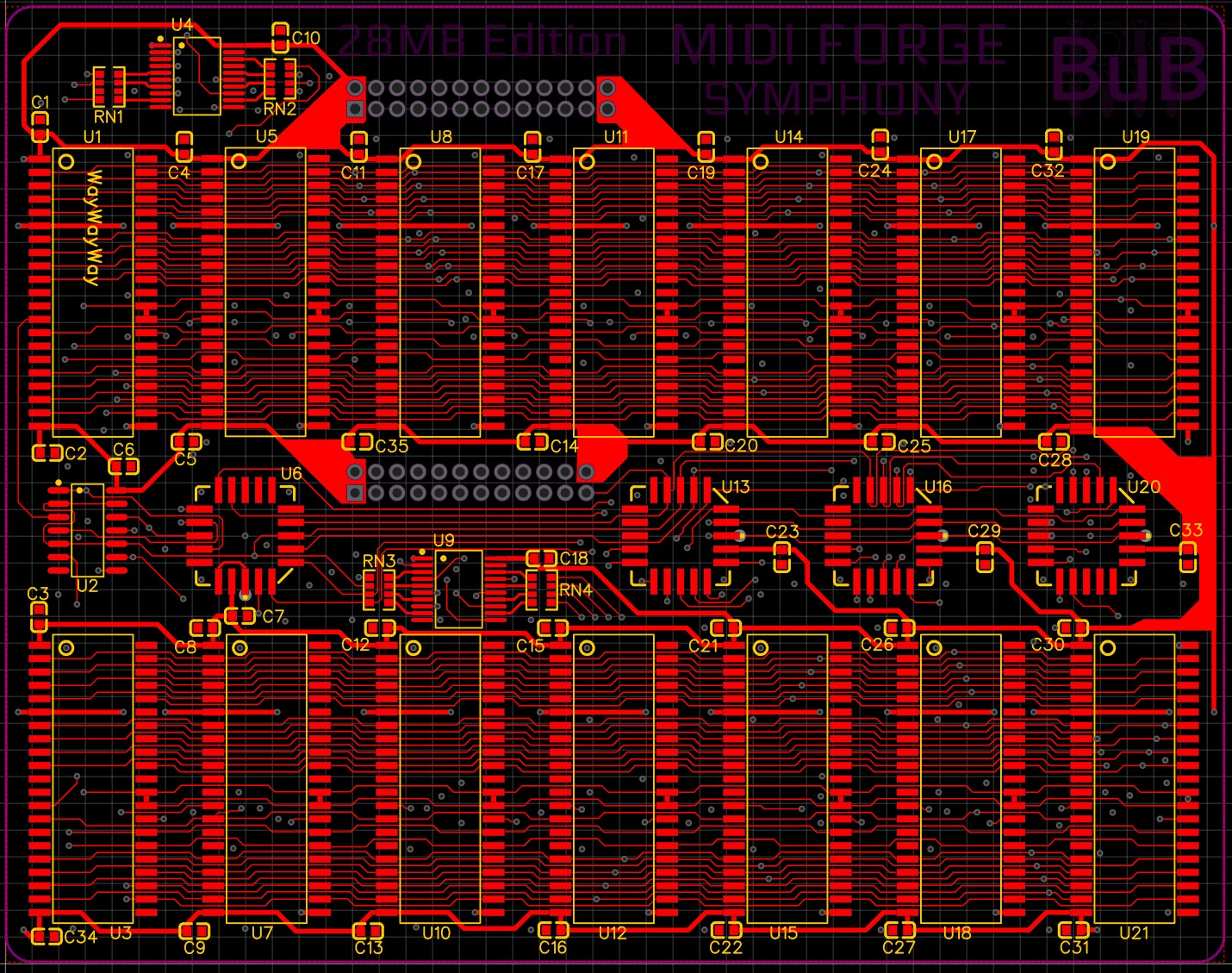
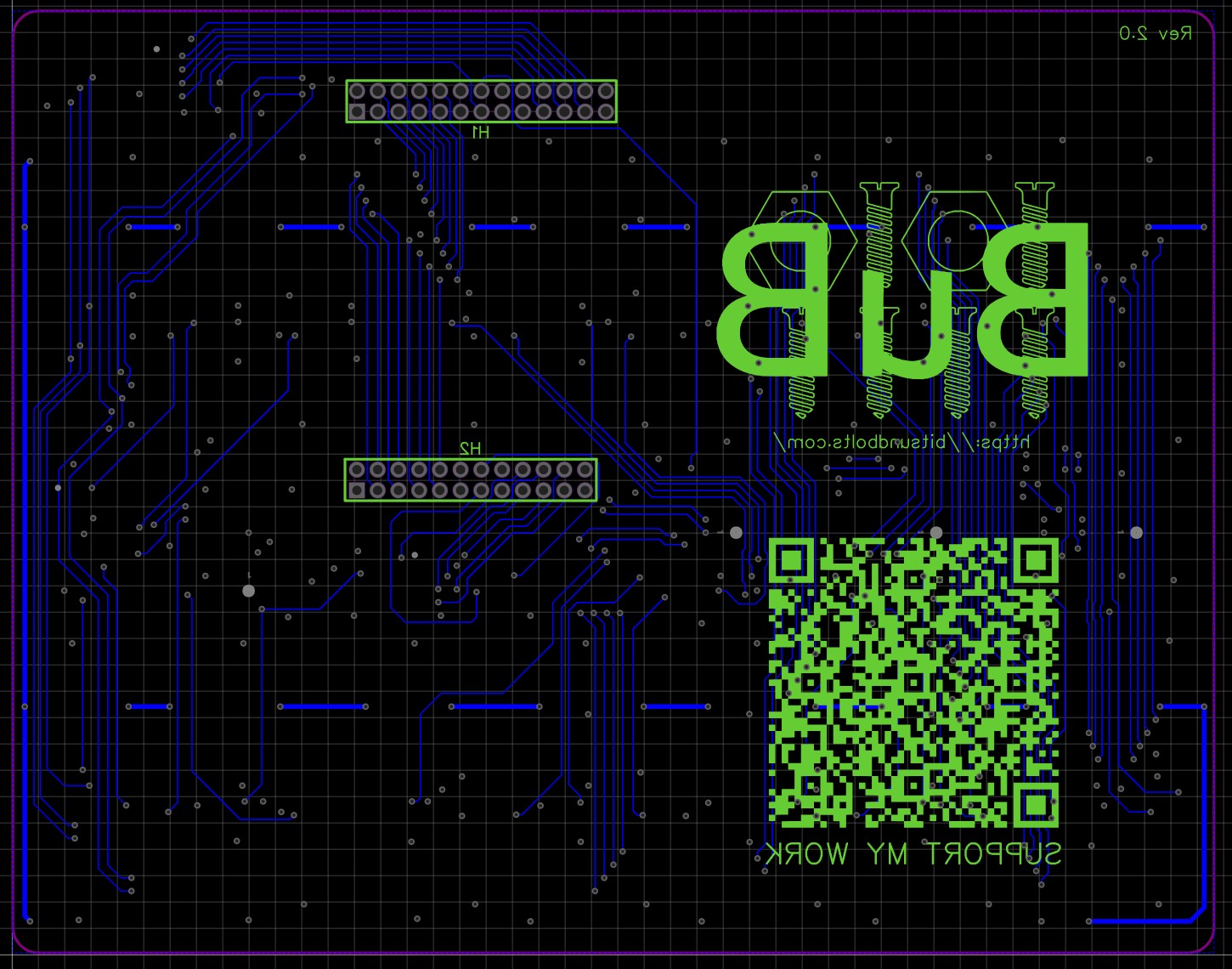
I set out to recreate Creative’s original 28MB memory expansion as a soldered PCB, avoiding bulky SIMM adapters like the SIMMConn. My goal was a compact, plug-and-play solution that looks as good as it performs. Here’s what makes this board special:
- Integrated Design: 14 memory chips are soldered directly onto the PCB, providing a low-profile fit that won’t block adjacent ISA slots.
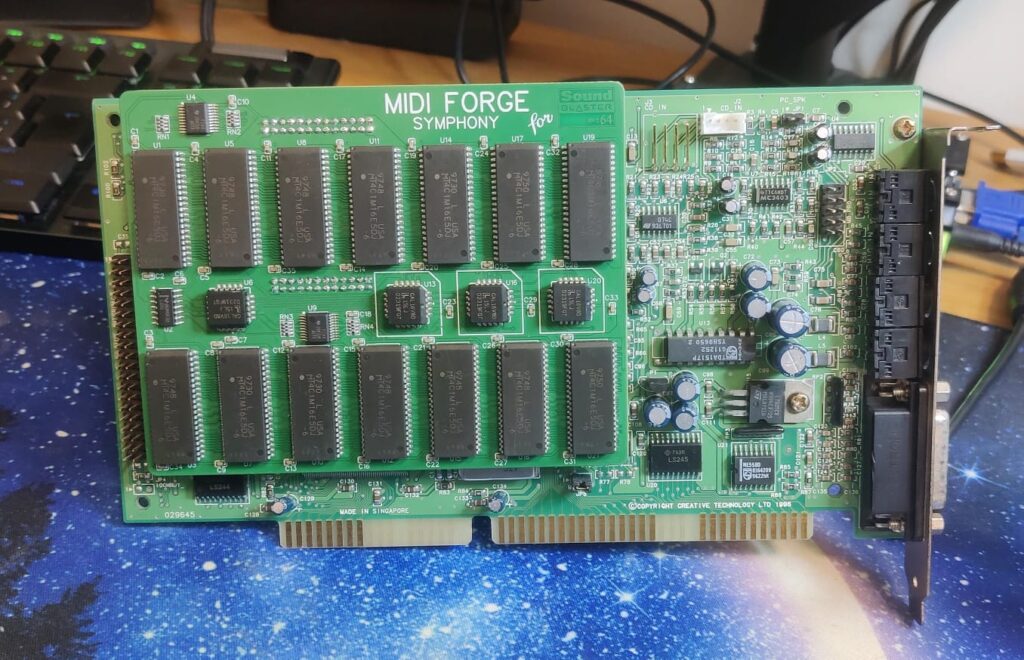
- Universal Compatibility: Tested on both AWE64 Gold and Value models without the need to set jumpers.
- Premium Build: A matte black PCB with yellow silkscreen, assembled using a stencil and hotplate for clean, professional solder joints.
The result? A board that not only maxes out your AWE64’s memory but also looks stunning in a retro battle station.
What’s Needed to Build Your Own
I’m excited to share the Gerber files for this PCB, so you can fabricate your own board and join the revival! Here’s a high-level overview of what you’ll need to make it:
- PCB Fabrication: Use the Gerber files to order your PCB from a manufacturer like PCBWay. I went with a matte black finish and yellow silkscreen for that authentic ‘90s vibe, but you can choose your own style. Expect to spend $80–$100 for 10 PCBs (matt black, yellow silk screen, Gold ENIG). Of course, you can go basic green and HASL and spend half the amount.
- Memory Chips: The board requires 14 DRAM (1Mx16, 5 Volt) chips to reach 28MB. Since it is almost impossible to find those chips as NOS, I use recycled memory chips you can find on 72-pin EDO or Fast Page Mode SIMMs (≤60ns access time). They should be readily available on eBay or from electronics surplus stores. Budget $20–$50.
- Additional Components:
- GAL/PAL Chips: These programmable logic chips handle memory addressing. You’ll need to source equivalents to the original chips Creative used, which are still available from electronics distributors like DigiKey or Mouser. Expect $5–$10.
- SMD Components and Connectors: Capacitors, resistors, and a connector to interface with the AWE64’s memory slot are essential. These are standard parts, costing around $5–$10 total.
- Assembly: Soldering 14 DRAM chips and SMD components requires precision. I used a stencil and hotplate to ensure even solder joints, but a soldering iron and flux will work too (but be prepared to spend hours soldering those 14 memory chips. You have been warned!). If you’re not comfortable with SMD soldering, consider a reflow oven or professional assembly service.
- Testing: Once assembled, install the board in your AWE64 and use the AWE Control Panel (or similar software) to verify that all 28MB is recognized. Test with a large SoundFont to confirm functionality.
A Note on Copyright: The schematics and PAL/GAL equations for this design are copyrighted by Creative Labs. To respect their intellectual property, I’m only sharing the Gerber files for the PCB layout, not the underlying schematics or logic equations. You can find the details about this memory expansion online.
Why This Matters
The AWE64 is a piece of computing history, and keeping it alive with modern upgrades is a labor of love. This 28MB expansion lets you load the largest SoundFonts for crystal-clear MIDI, whether you’re gaming, composing, or just reminiscing about the ‘90s.
I’ve also created a YouTube video showcasing the MIDI Forge Symphony in action – check it out the video at the end of this post! You’ll see it installed in an AWE64 Gold, loading a massive 28MB SoundFont, and hear the difference it makes.
Join the Retro Revival
Ready to upgrade your AWE64? Head over to PCBWay to have your own MIDI FORGE Symphony fabricated. Let’s keep the SoundBlaster legacy alive, one synth at a time. Share your builds and MIDI creations with me if you’d like – I’d love to hear how this board enhances your retro setup!
Gerber Files
You can find the current version of Gerber files over at PCBWay.com.
Bill of Materials (BOM)
| Name | Designator | Footprint | Quantity | Pins |
|---|---|---|---|---|
| 2.0MM 2*12P | H2 | HDR-TH_24P-P2.00-V-F-R2-C12-S2.00-1 | 1 | 24 |
| 2.0MM 2*13P | H1 | HDR-TH_26P-P2.00-V-M-R2-C13-S2.00-2 | 1 | 26 |
| 100nF | C1, C2, C3, C4, C5, C6, C7, C8, C9, C10, C11, C12, C13, C14, C15, C16, C17, C18, C19, C20, C21, C22, C23, C24, C25, C26, C27, C28, C29, C30, C31, C32, C33, C34, C35 | C0603 | 35 | 2 |
| 33Ω | RN1, RN2, RN3, RN4 | RES-ARRAY-SMD_0603-8P-L3.2-W1.6-BL | 4 | 8 |
| SN74LS32DR | U2 | SOIC-14_L8.7-W3.9-P1.27-LS6.0-BL | 1 | 14 |
| GAL16V8A-15 | U6, U13, U16, U20 | PLCC-20_L9.0-W9.0-P1.27-LS9.9-T | 4 | 20 |
| HYB5118160BSJ-6 – or – MT4C1M16E5DJ-6 – or – 1M x 16bit EDO, 1K | U1, U3, U5, U7, U8, U10, U11, U12, U14, U15, U17, U18, U19, U21 | SOJ-42 | 14 | 42 |
| SN74F244DBR – or – 74ABT244PW | U4, U9 | SSOP-20_L7.2-W5.3-P0.65-LS7.8-BL | 2 | 20 |
Are you selling assembled boards? Where can I buy one?
I am NOT selling assembled boards because they require the GAL equation from Creative.
The code can be found online, but you need to compile them yourself and fix one syntax error along the way.
A big THANK YOU to PCBWay for their awesome support helping me to build prototypes and refine the final board! Without their help, I wouldn’t have been able to get this project off the ground!

You can also order your PCBs directly from PCBWay. All parameters have already been set for you – just pick the color and finishing and you’ll have your PCBs in no time!